Native macOS app for shared font workflows

Keep every Mac on the same approved font library.

In team workflows, fonts break quietly.

One person builds the titles.

Another edits.

Another exports.

The font is not installed on one machine.

The job breaks at the worst moment.

TeamFonts is a native macOS app that keeps one approved font library in sync across the team.

One approved source Multiple Macs No silent font drift
TeamFonts app interface showing a connected and verified team font library

Verified workflow

Connected. Visible. Predictable.

One-time purchase.

No subscription.

No bloated backend.

Just a focused Mac app that keeps the team aligned on the same approved font library.

The problem

A shared folder is not a working font system for a Mac team.

The files can sit in shared storage, but each machine still needs the fonts locally. That is where manual effort creeps in, people assume the right font is there, and avoidable mistakes happen.

That works until it doesn't.

  • A late title change.
  • A freelancer joins the job.
  • A different machine handles the export.
  • One Mac is out of line with the others.

Then time gets wasted fixing something that should never have been a problem in the first place.
The solution

Turn one approved shared font library into a controlled team workflow.

Set the approved source once.

Each Mac connects to it.

TeamFonts keeps the team aligned with the same approved font set.

The manual step goes away.
The drift goes away.
The avoidable failure point goes away.

How it works

Simple enough for a small team. Solid enough for a serious handoff chain.

TeamFonts turns one approved shared font library into a clean deployment workflow for every Mac in the team.

01

Connect one approved source

Use a single shared source as the team standard, then connect each Mac to it.

02

See what needs attention

If something needs attention, TeamFonts makes it visible rather than changing things behind the scenes.

03

Keep rollout safe

Sync approved fonts to each machine without silent overwriting and without automatic removals.

Inside TeamFonts

Three views of the workflow your team actually uses.

Connect the approved source, verify the shared library, and inspect what is installed on each Mac without guesswork.

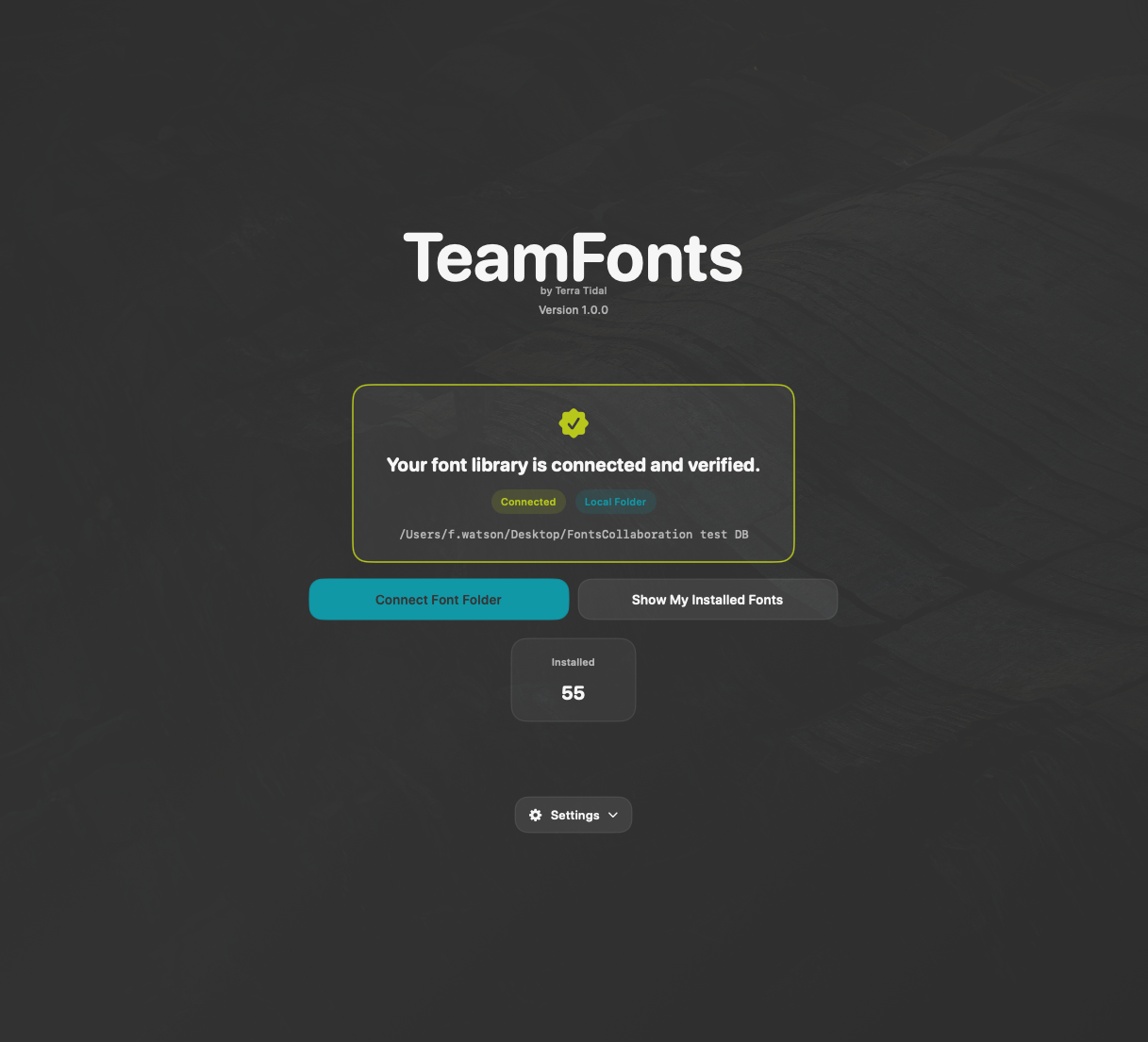
TeamFonts connected and verified screen showing a verified font library
Verified Library See the team status clearly before anything drifts.
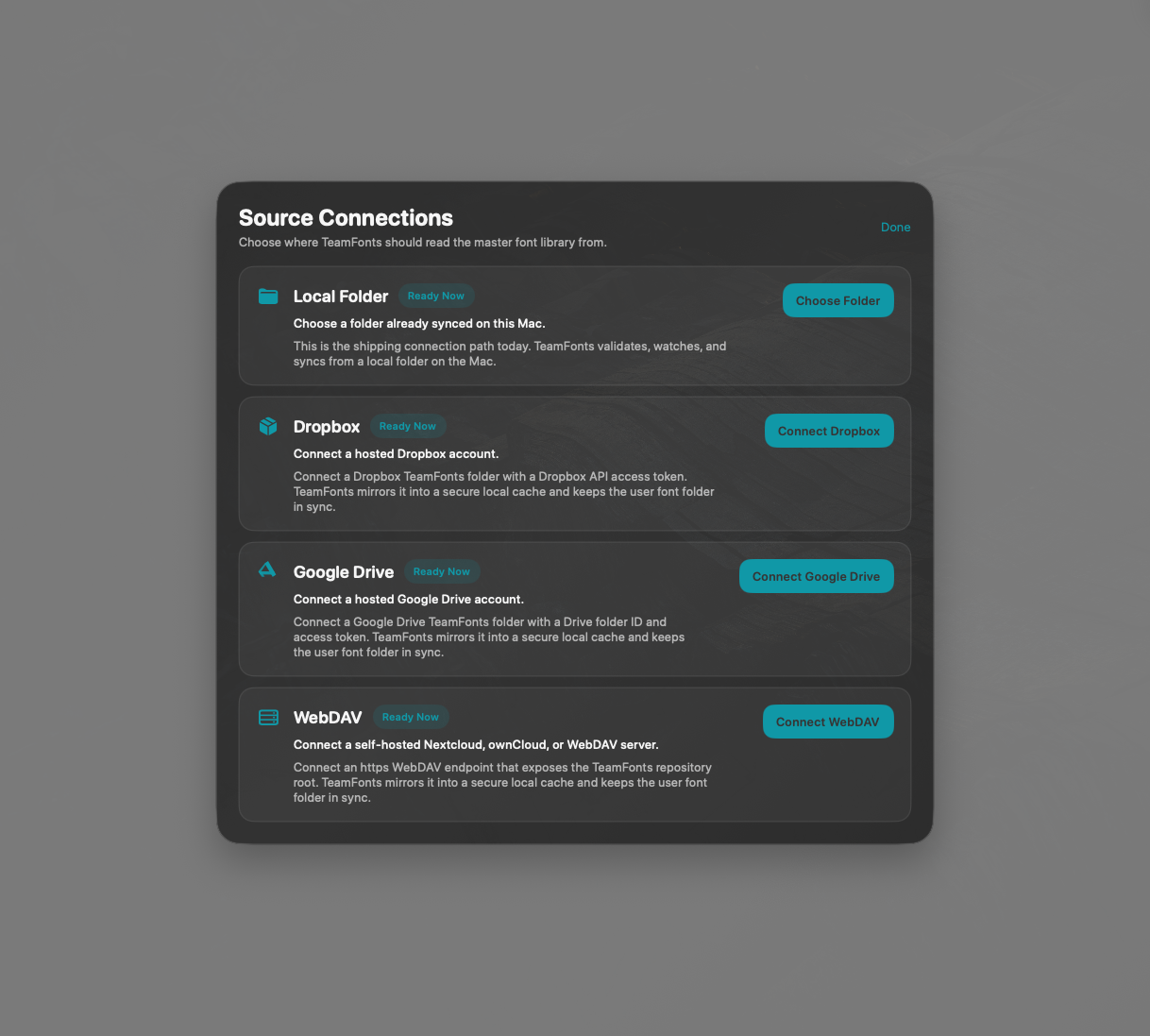
TeamFonts source connections screen showing local folder, Dropbox, Google Drive, and WebDAV options
Source Connections Choose the approved source the team should follow.
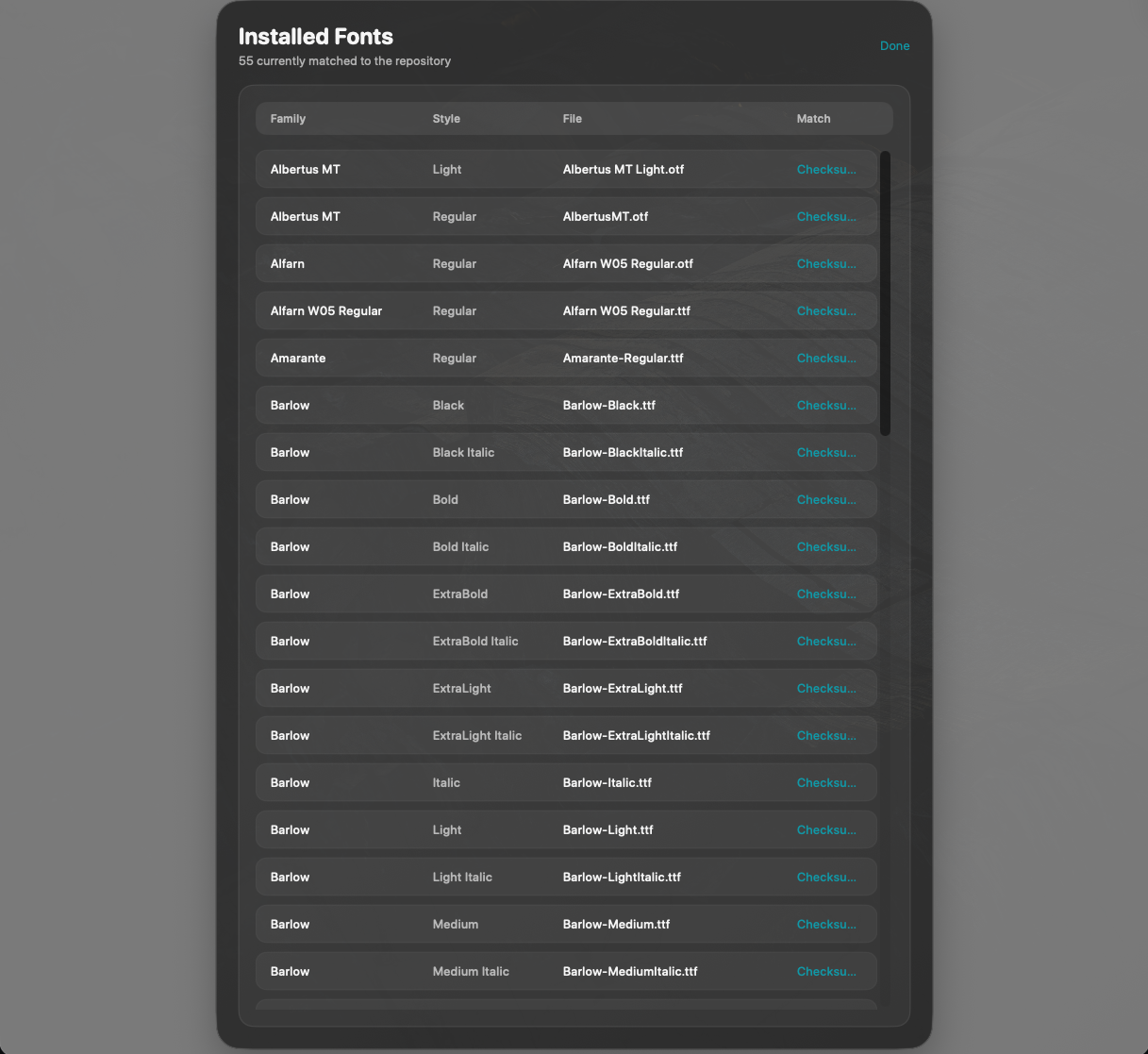
TeamFonts installed fonts screen listing fonts matched to the repository
Installed Fonts Check what is present on the Mac against the approved set.

Who it is good for

Made for shared creative workflows, not limited to one kind of team.

TeamFonts is a strong fit anywhere multiple Macs need to stay aligned on one approved font library, especially when work is handed from one person or machine to another.

  • post-production teams
  • video editors
  • design studios
  • publishing teams
  • agencies
  • internal teams using freelancers
  • shared production environments

Works with common shared sources

Designed for the real places teams already keep approved fonts.

  • Local shared folders
  • NAS
  • WebDAV
  • Dropbox
  • Google Drive

Useful anywhere work passes between editors, designers, operators, finish machines, freelancers, and internal teams.

Feature set

Focused features for team consistency, not font-library chaos.

Shared-source font sync

Connect one approved font source and use it as the team standard.

Native macOS app

Built for Mac workflows, not wrapped in a browser.

Safe font deployment

Sync approved fonts to each machine without turning the library into a mess.

No silent overwriting

If something needs attention, TeamFonts makes it visible rather than changing things behind the scenes.

No automatic removals

It does not start deleting fonts from a machine behind the scenes.

Cleaner rollout across multiple Macs

One approved source. Multiple machines. Less manual checking.

Pricing

Choose the license that fits your team.

Team

£89 one-time

Up to 3 Macs

For small teams working across edit, design, and finishing.

Launching 1st May

Studio

£139 one-time

Up to 5 Macs

For teams running a shared workflow across multiple Macs.

Launching 1st May

Studio Plus

£229 one-time

Up to 10 Macs

For studios, agencies, and publishing teams that need a reliable shared font setup across a wider production environment.

Launching 1st May

Company

£549 one-time

Up to 30 Macs

For larger teams that need one approved font library across the whole production environment.

Launching 1st May

One-time purchase.

No subscription. No backend. No enterprise bloat.

Just a focused Mac app that keeps the team aligned on the same approved font library.

Frequently asked questions

Clear answers for teams deciding how to roll it out.

Is TeamFonts a font manager?

No. TeamFonts is built to solve a narrower problem: keeping one approved font library in sync across multiple Macs.

What problem does it actually solve?

It solves the gap between shared storage and a working team font setup on macOS. Fonts may live in one shared source, but each machine still needs them locally. TeamFonts keeps the team aligned with that approved library.

Why not just use a shared Dropbox or Google Drive folder?

Because storage is not deployment. A shared folder can hold the files, but it does not keep each Mac aligned on its own.

Why not just use a normal font manager?

Because most font tools are built around individual organisation. TeamFonts is built around team consistency.

Does TeamFonts overwrite fonts already on a machine?

No. If something needs attention, it is made visible. TeamFonts is designed to keep deployment controlled rather than forcing silent changes.

Does TeamFonts delete fonts automatically?

No. It is designed to keep rollout predictable, not destructive.

Does it work with freelancers and mixed team setups?

Yes. That is one of the main use cases.

What shared sources can it work with?

TeamFonts is designed around approved shared sources such as local shared folders, NAS, WebDAV, Dropbox, and Google Drive.

Does TeamFonts handle font licensing?

No. Your team remains responsible for making sure it has the right to use the fonts it syncs.

Is it cloud software?

No. TeamFonts is a native macOS app built around connecting to an approved shared source.

Is this only for small teams?

No. It is useful anywhere multiple Macs need to stay aligned on the same approved font library.

Launch TeamFonts

Stop relying on manual font installs across the team.

TeamFonts gives your team one approved font source and a clean way to keep every Mac aligned with it.

Launching 1st May